Using ::marker to display content before content

Ever wanted a piece of content before the content ?
Well …. there is ::before which is what it is used for.
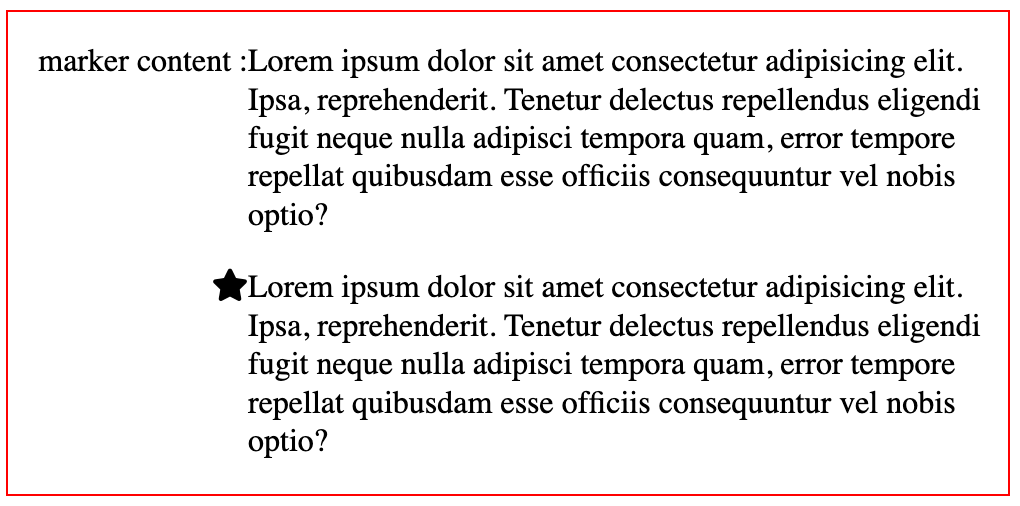
But there is another selector called ::marker which is used for displaying content before a list item.
It is possible to display a non-list item as an item via display: list-item; to a div or p, so you don’t necessarily have to create a list like ul or ol.
According to Mozilla, Only certain CSS properties can be used in a rule with ::marker as a selector and one of them is content which can be used to insert custom content.
What is not possible is, to absolute position the content in the marker as it’s not supported till now. So for now, we have to do with the left alignment with the text.
<!DOCTYPE html>
MarkerLorem ipsum dolor sit amet consectetur adipisicing elit. Ipsa, reprehenderit. Tenetur delectus repellendus eligendi fugit neque nulla adipisci tempora quam, error tempore repellat quibusdam esse officiis consequuntur vel nobis optio?
Lorem ipsum dolor sit amet consectetur adipisicing elit. Ipsa, reprehenderit. Tenetur delectus repellendus eligendi fugit neque nulla adipisci tempora quam, error tempore repellat quibusdam esse officiis consequuntur vel nobis optio?