# All Star Attributes for HTML5 elements in IE
It is very common to set `margin:0` and `padding:0` as default to all HTML elements via the [star hack](http://css-tricks.com/margin-0-padding-0-no-longer-cool/).
* { margin:0; padding:0; }
And we get so used to explicitly setting margins and paddings to elements that require them, that we assume no padding & margins at all as default for all elements.
With [html5shiv](http://html5shiv.googlecode.com) javascript, we can get most HTML5 functionality working in Internet Explorer (6,7,8). And with [ie7-js](http://ie7-js.googlecode.com), we can get IE (6,7,8) to behave more-or-less like IE9.
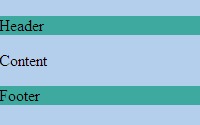
When using HTML5 elements such as `header`, `section`, `footer`, `aside`, `nav`, `article` & `figure`, the all star hack doesn’t work and hence we need to set them explicitly. (Looks like ie7-js is resetting the margins)
**IE6 / IE7** :
**IE8** :
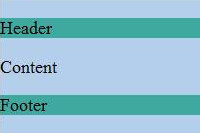
`margin:0` isn’t applied in IE 6/7/8. So don’t forget to set it explicitly for HTML5 elements.
header, section, footer, aside, nav, article, figure { display:block; margin:0; padding:0; }